# 活動記帳系統 Accounting

**2025最新版本**

# 簡介

##### <span style="color: rgb(224, 62, 45);">**針對每場活動紀錄所有的支出與收入，一鍵產生該活動收支統計報表。**</span>

<div class="col" id="bkmrk-">  
</div><div class="col" id="bkmrk--1"></div><div class="col" id="bkmrk--2"></div><div class="col" id="bkmrk--3"></div>![accounting-i01.png](https://km.sopdom.com/uploads/images/gallery/2025-03/scaled-1680-/accounting-i01.png)


##### 活動記帳系統 模組功能  
  
1. 帳戶管理，可以新增多個資金帳戶，清楚區分每個帳戶餘額。  
2. 品項管理，可建立常用的支出品項，加速建檔的便利性。  
3. 活動管理，針對每場活動建立一個標籤，用來區分每筆紀錄歸檔。  
4. 收支記帳，紀錄每一筆支出與收入。  
5. 報表統計，一目了然每場活動支出及餘額報表，一鍵匯出省下時間成本。

<div class="col" id="bkmrk--5"></div>

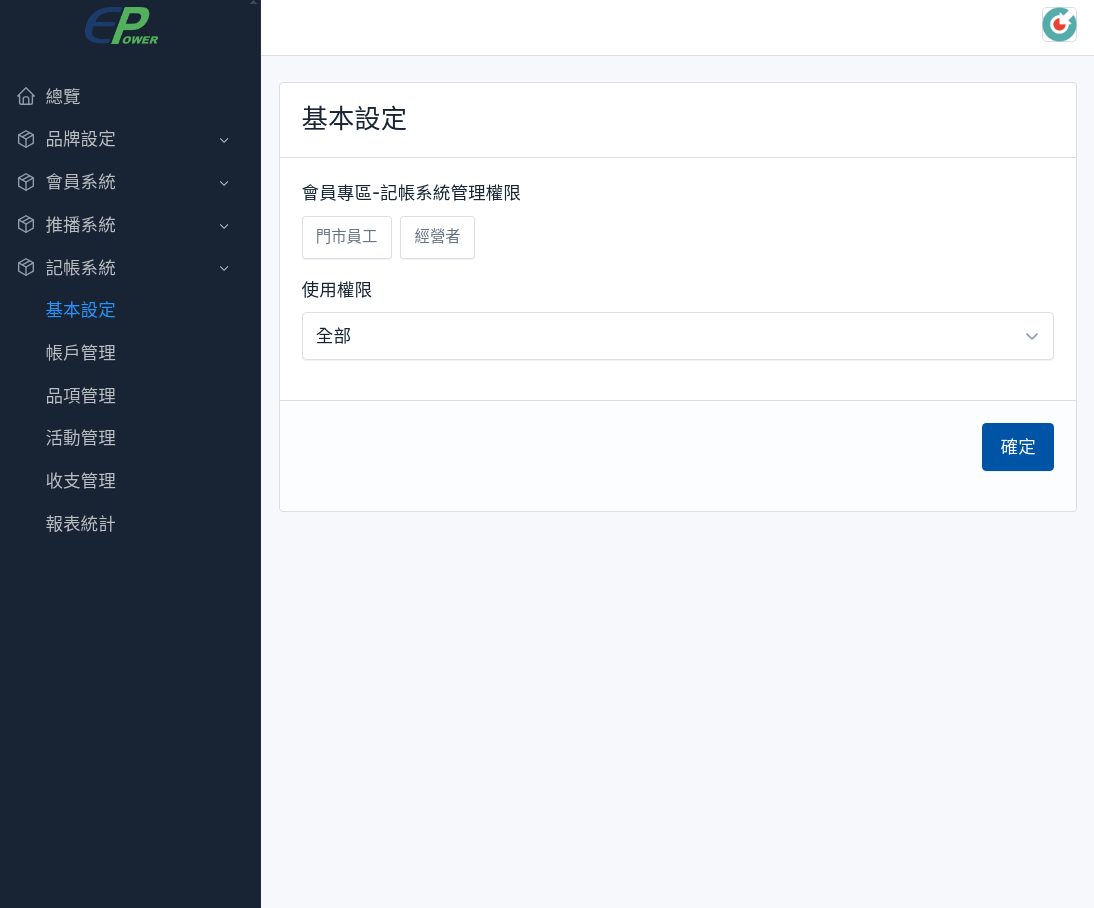
# 1. 基本設定

##### **<span style="color: rgb(224, 62, 45);">這個功能是用來設定記帳系統的基本設定</span>** 

#####  

#####  **設定步驟** 功能選單 -&gt; 記帳系統 -&gt; 基本設定

[![accounting_config-i01.png](https://km.sopdom.com/uploads/images/gallery/2025-03/scaled-1680-/accounting-config-i01.png)](https://km.sopdom.com/uploads/images/gallery/2025-03/accounting-config-i01.png)

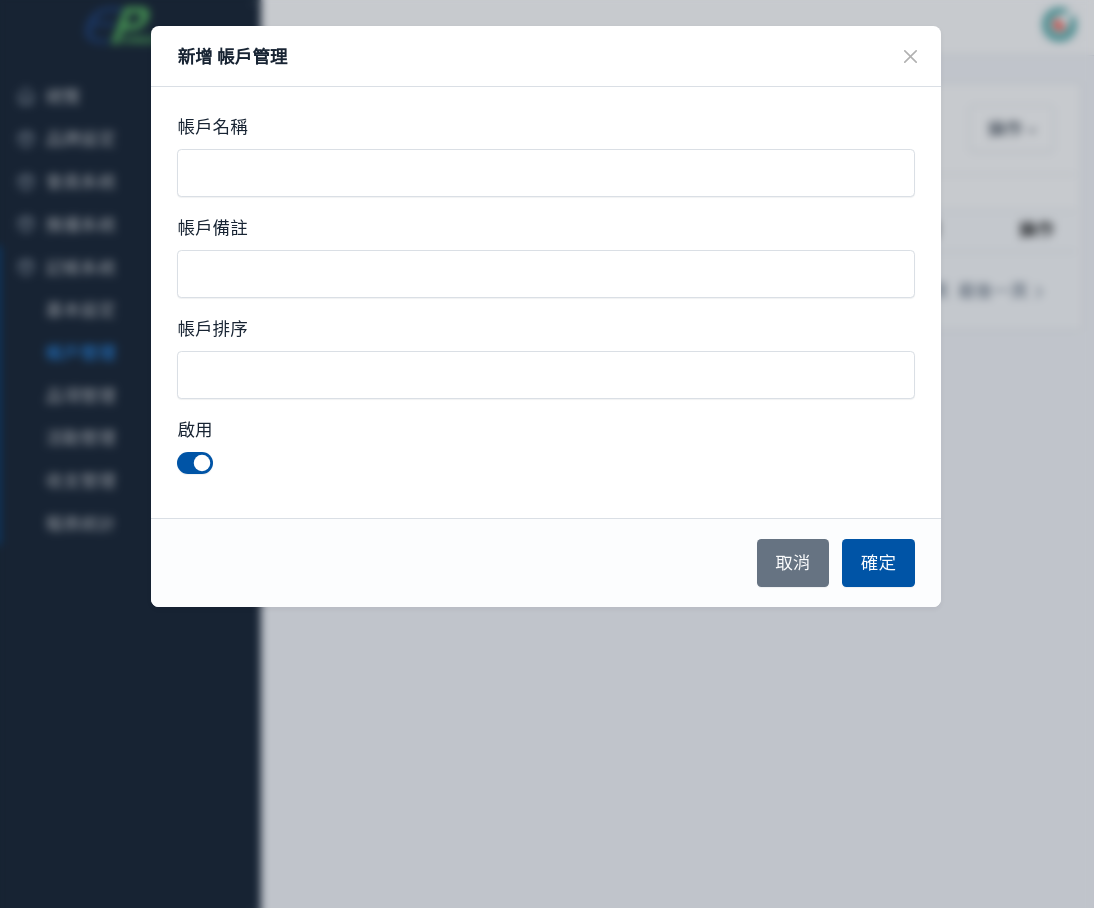
# 2. 帳戶管理

##### **<span style="color: rgb(224, 62, 45);">這個功能是用來建立帳戶管理</span>** 

#####  **設定步驟** 功能選單 -&gt; 記帳系統 -&gt; 帳戶管理  


[![accounting_accounts-i01.png](https://km.sopdom.com/uploads/images/gallery/2025-03/scaled-1680-/accounting-accounts-i01.png)](https://km.sopdom.com/uploads/images/gallery/2025-03/accounting-accounts-i01.png)

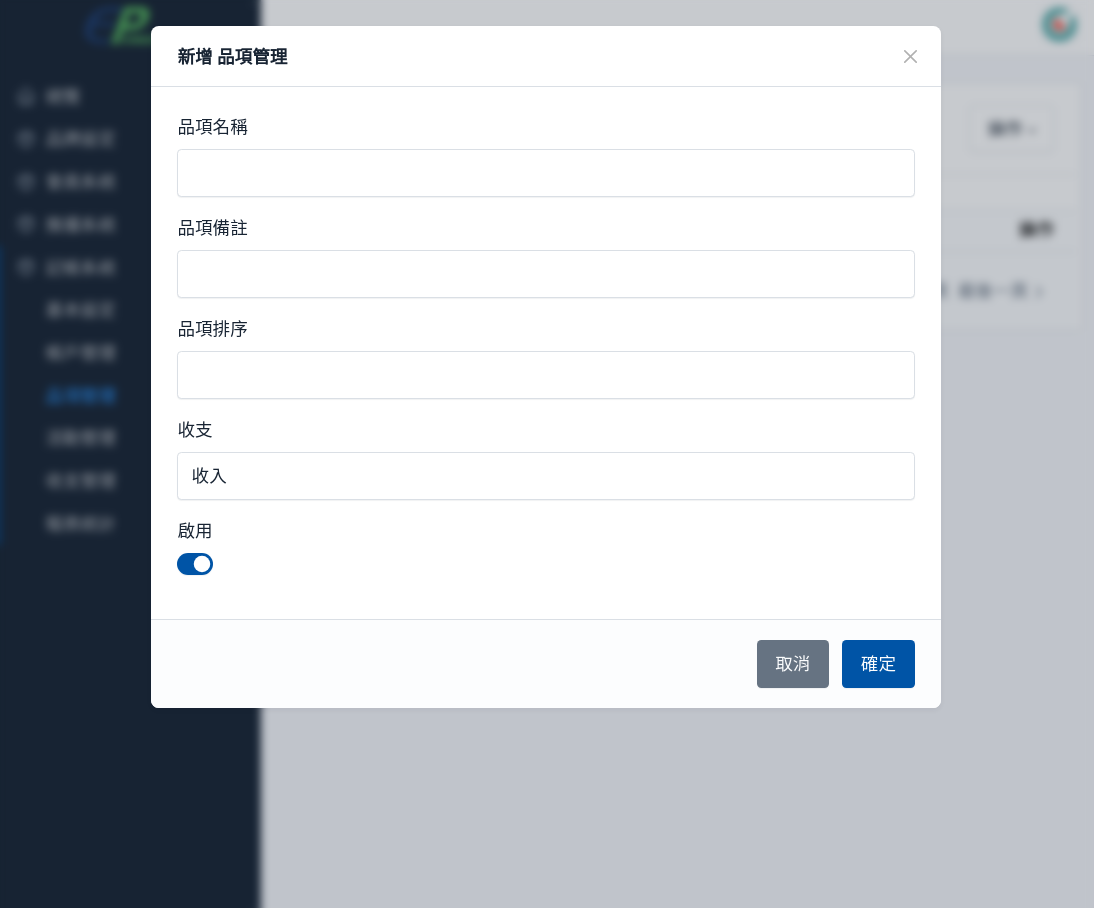
# 3. 品項管理

##### **<span style="color: rgb(224, 62, 45);">這個功能是用來建立品項管理</span>** 

#####  

#####  **設定步驟** 功能選單 -&gt; 記帳系統 -&gt; 品項管理

[![accounting_items-i01.png](https://km.sopdom.com/uploads/images/gallery/2025-03/scaled-1680-/accounting-items-i01.png)](https://km.sopdom.com/uploads/images/gallery/2025-03/accounting-items-i01.png)

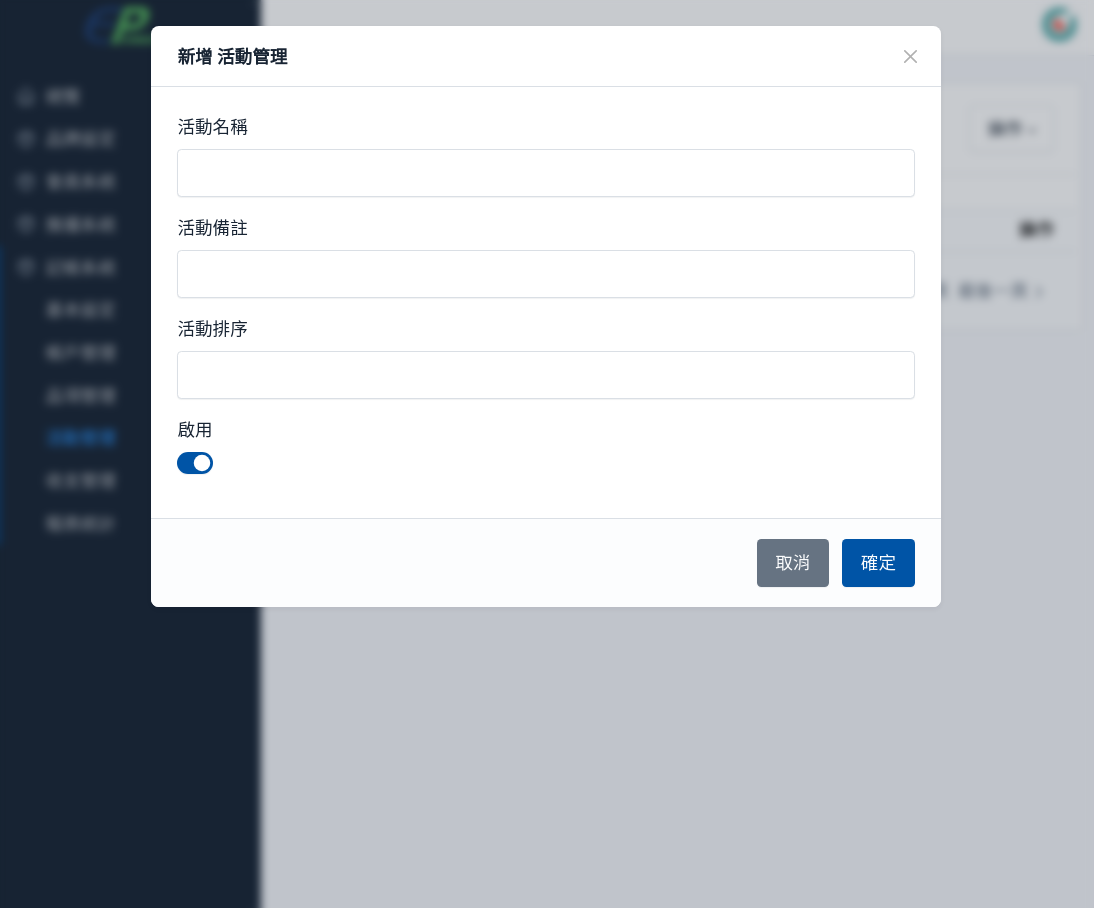
# 4. 活動管理

##### **<span style="color: rgb(224, 62, 45);">這個功能是用來建立活動管理</span>** 

#####  **設定步驟** 功能選單 -&gt; 記帳系統 -&gt; 活動管理

[![accounting_activity-i01.png](https://km.sopdom.com/uploads/images/gallery/2025-03/scaled-1680-/accounting-activity-i01.png)](https://km.sopdom.com/uploads/images/gallery/2025-03/accounting-activity-i01.png)

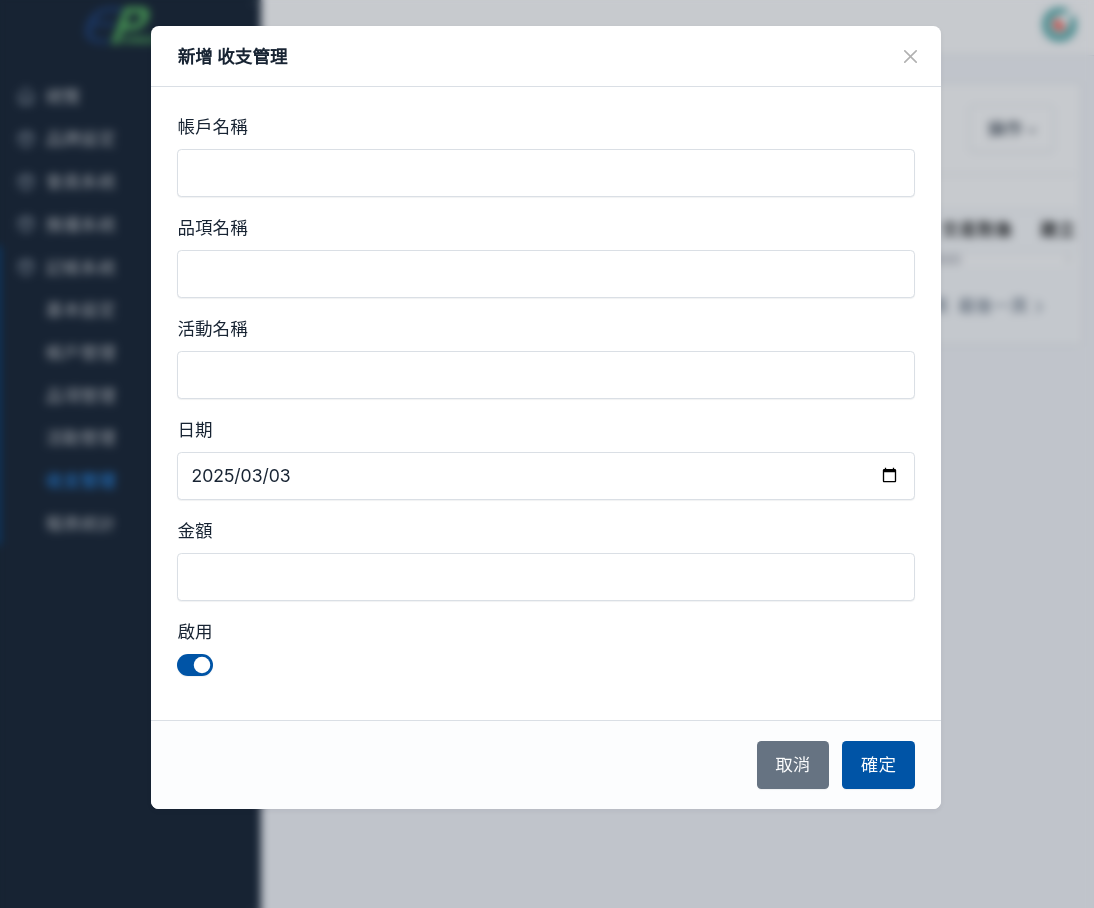
# 5. 收支管理

##### **<span style="color: rgb(224, 62, 45);">這個功能是用來建立收支管理</span>** 

#####  **設定步驟** 功能選單 -&gt; 記帳系統 -&gt; 收支管理

[![accounting_journals-i01.png](https://km.sopdom.com/uploads/images/gallery/2025-03/scaled-1680-/accounting-journals-i01.png)](https://km.sopdom.com/uploads/images/gallery/2025-03/accounting-journals-i01.png)

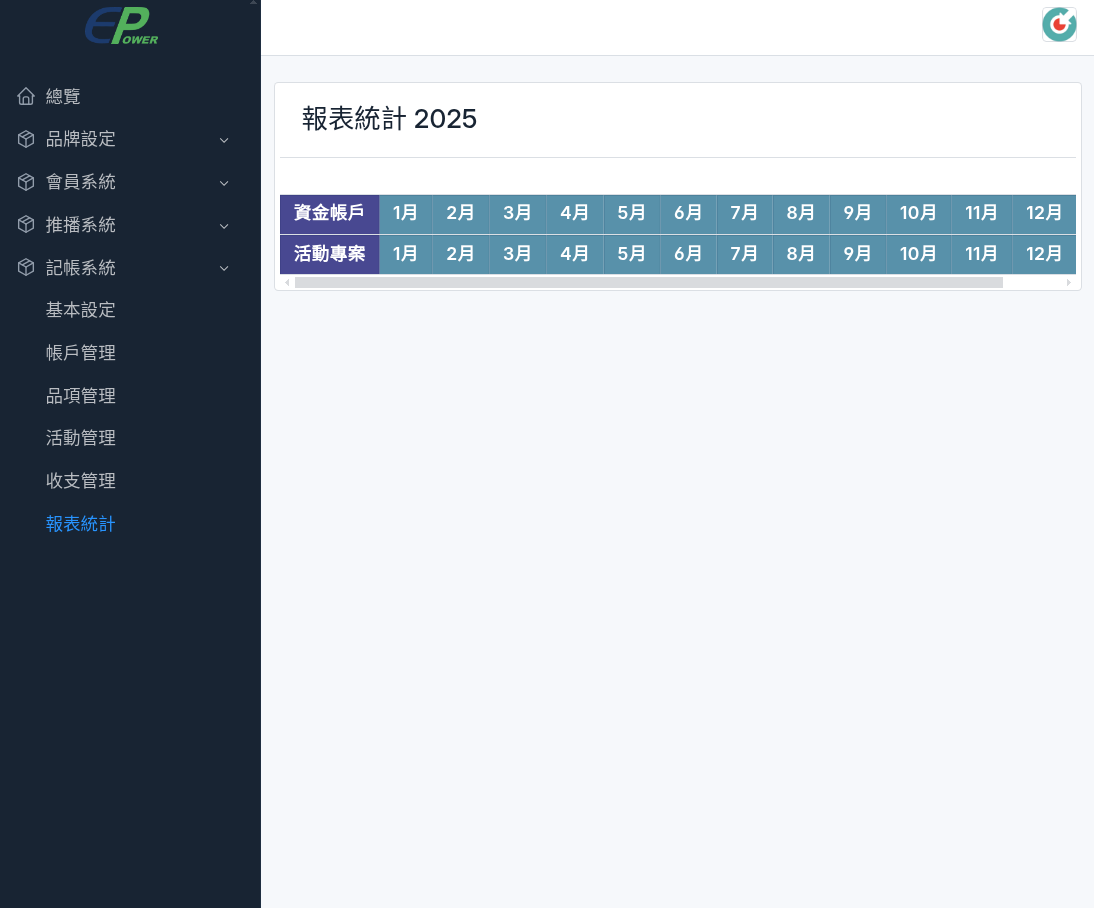
# 6. 報表統計

##### **<span style="color: rgb(224, 62, 45);">這個功能是用來查每月的收支統計</span>**

[![accounting_reports-i01.png](https://km.sopdom.com/uploads/images/gallery/2025-03/scaled-1680-/accounting-reports-i01.png)](https://km.sopdom.com/uploads/images/gallery/2025-03/accounting-reports-i01.png)