4. 串接LINE Login API
LINE除了開放強大的 Messaging API 功能, 還推出 Login API 功能, 讓開發商可以透過Liff網頁技術開發很多商業應用服務, 可以取代90%原生APP功能性, 也拉近與消費者體驗距離
這個串接步驟流程比較多, 要細心的看慢慢做
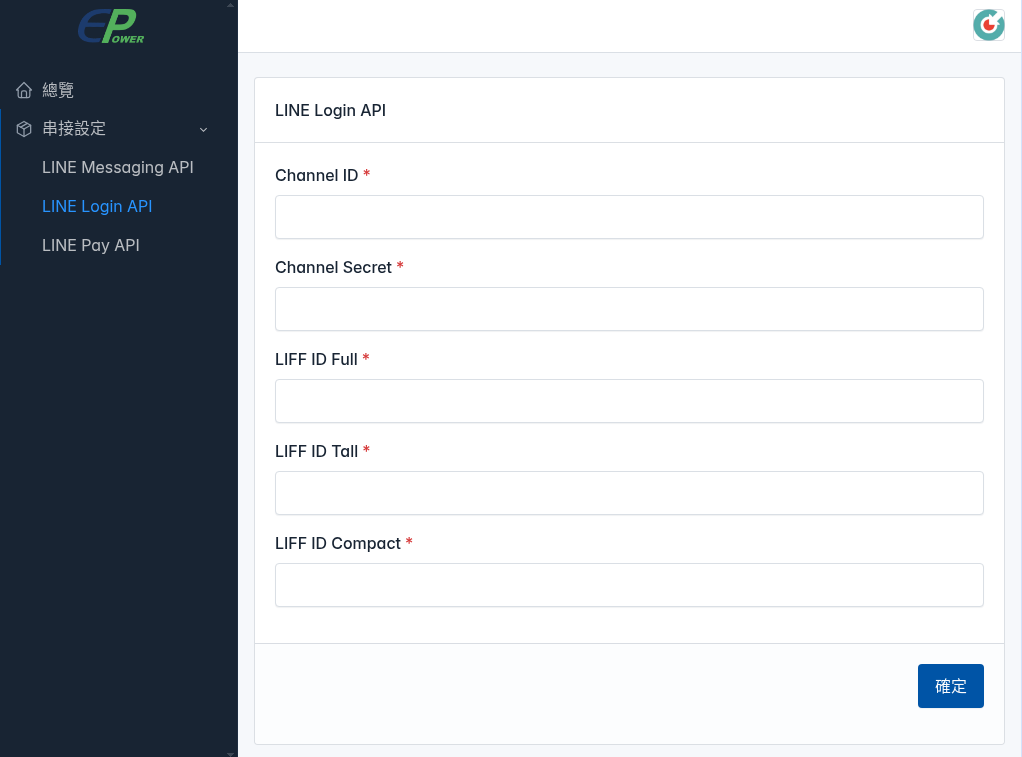
1. 登入超融合後台
功能選單 ➔ 串接設定 ➔ LINE Login API
串接LINE Login API, 需要取得並複製如下5個Key, 並貼上如下對應欄位即可
1. Channel ID
2. Channel Secret
3. LIFF ID Full
4. LIFF ID Tall
5. LIFF ID Compact
2. 首先登入LINE開發者後台
https://developers.line.biz/console/
點選建立 ➔ LINE Login
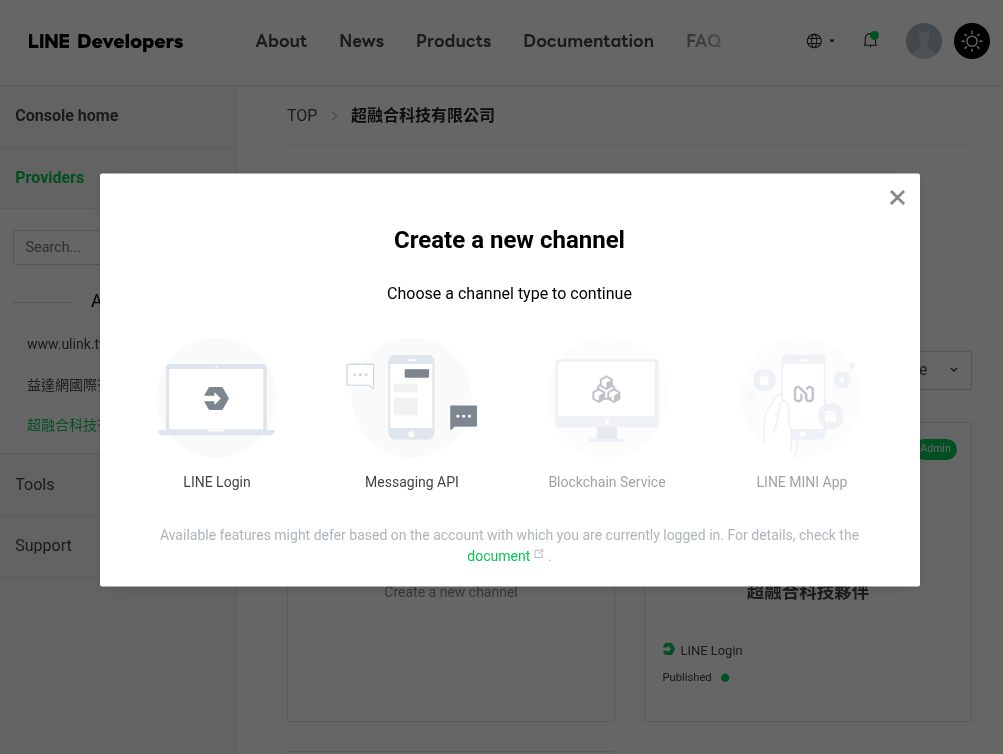
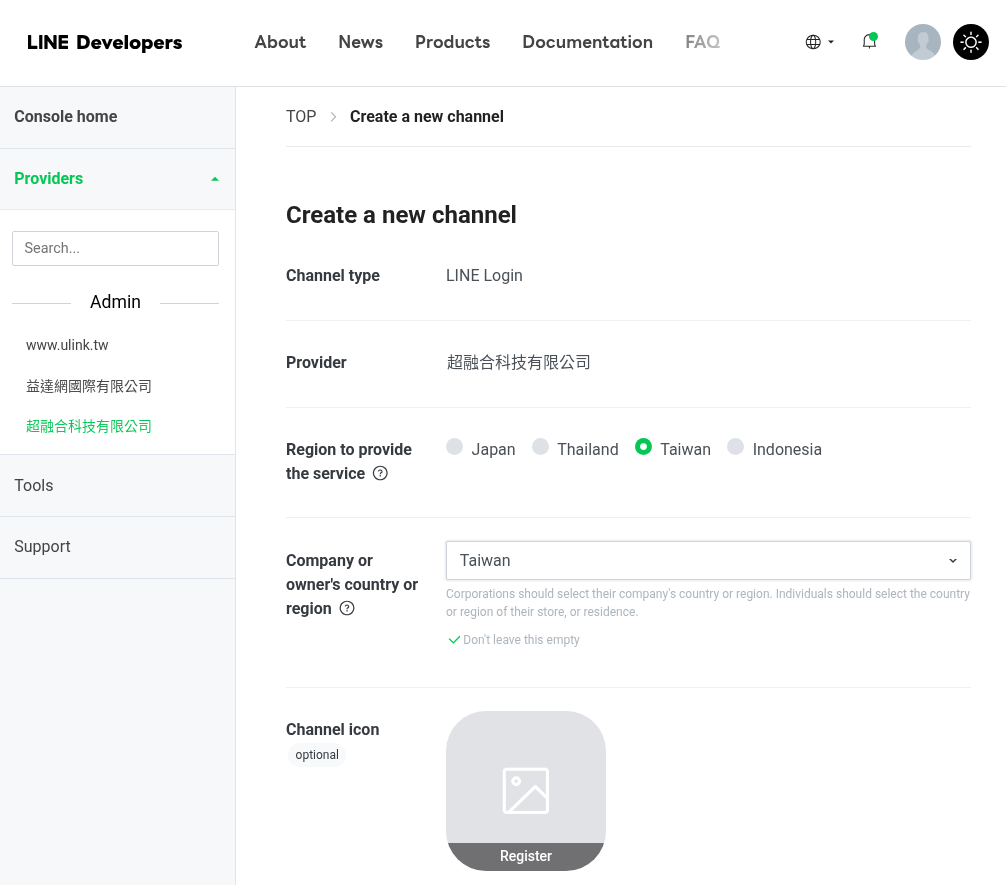
3. 建立 Create a new channel
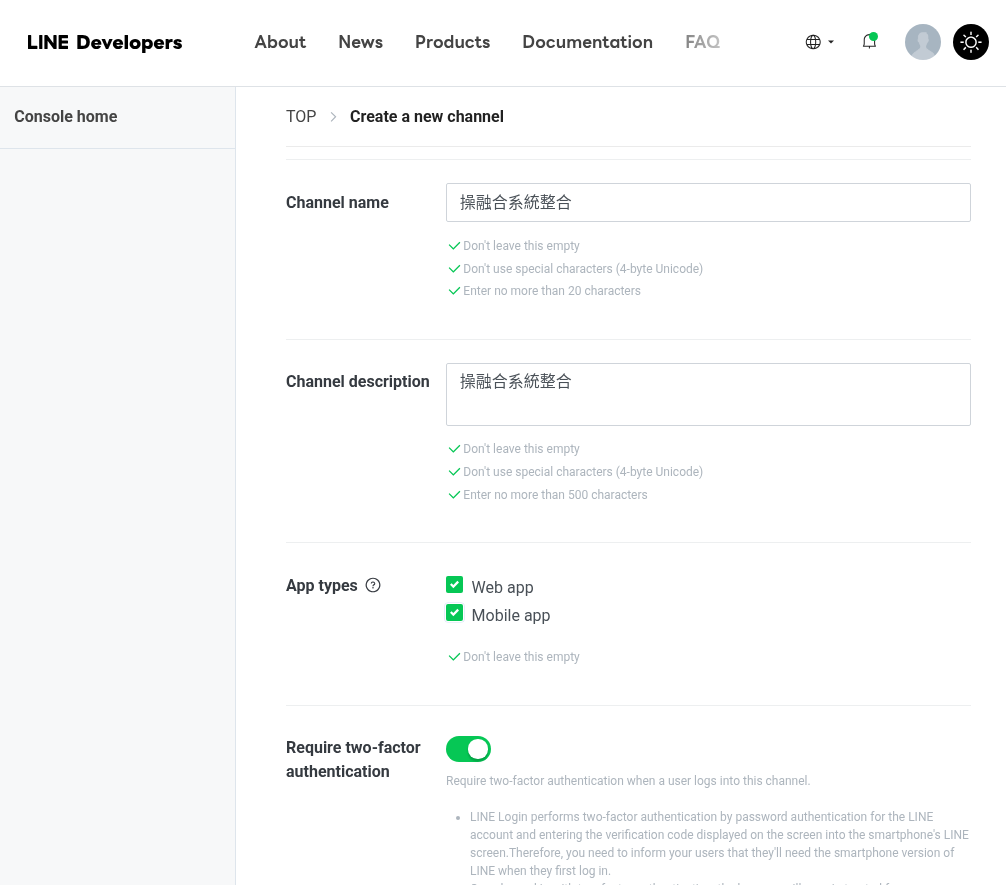
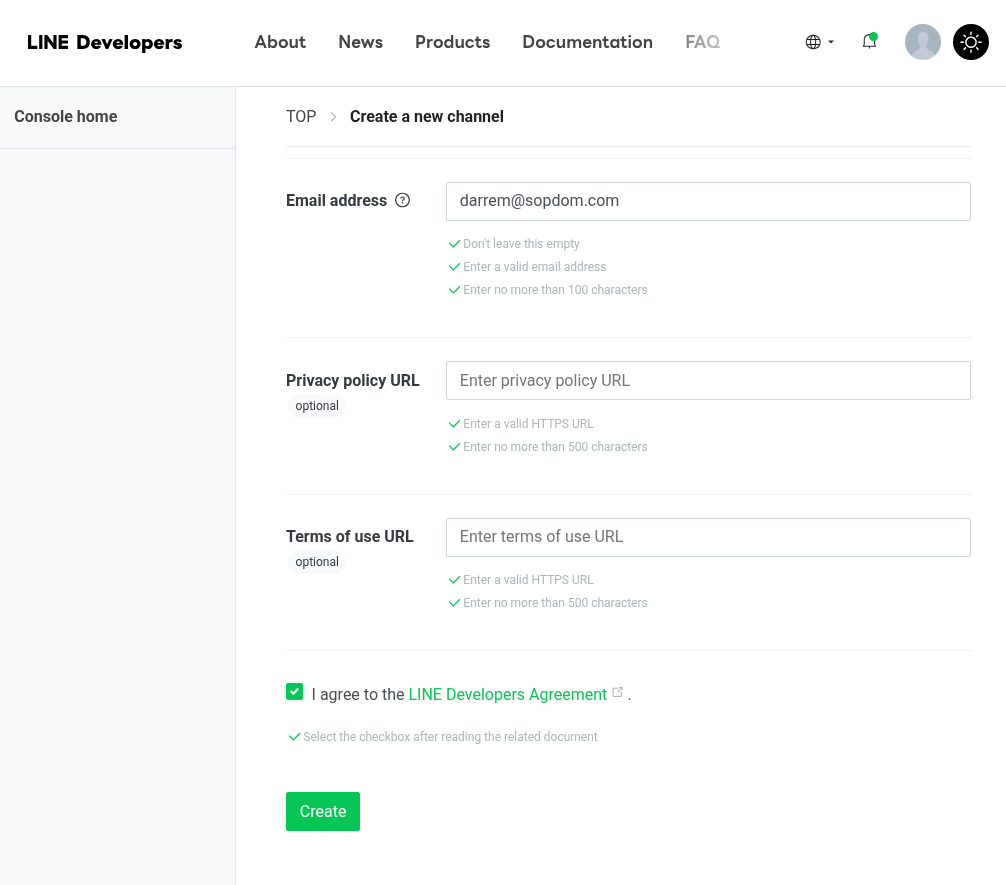
請參考如下圖示設定
1. Region to provide the service ➔ Taiwan
2. Company or owner's country or region ➔ Taiwan
3. Channel icon ➔ 上傳 Logo
4. web app ➔ 句選啟用
5. Mobile app ➔ 句選啟用
6. 勾選同意 { I have read and agree to the LINE Developers Agreement } ➔ Create
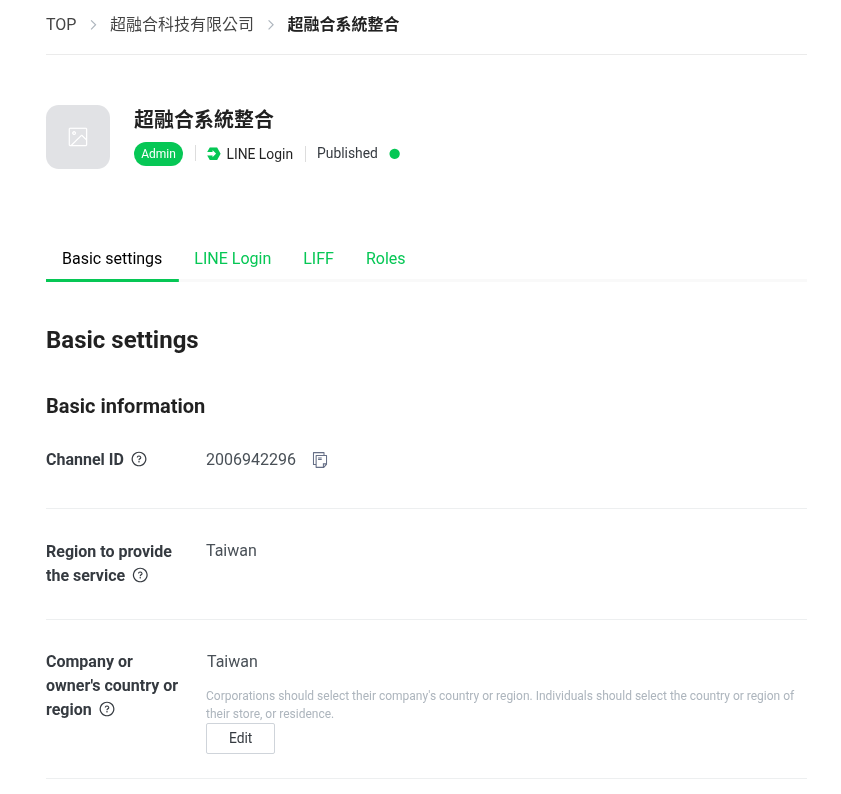
➔ Basic setings
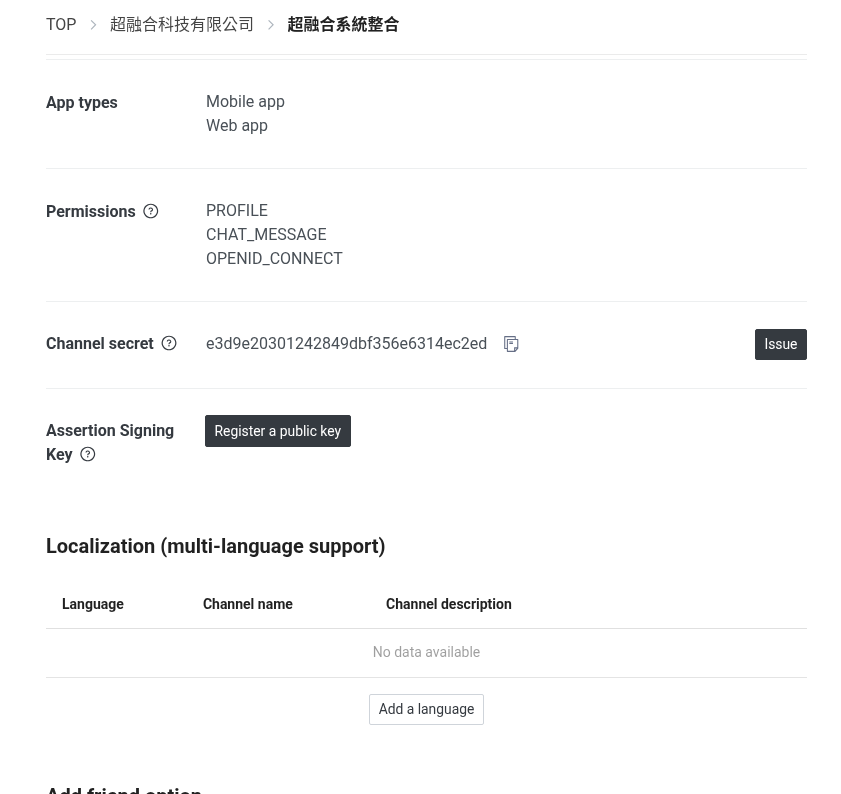
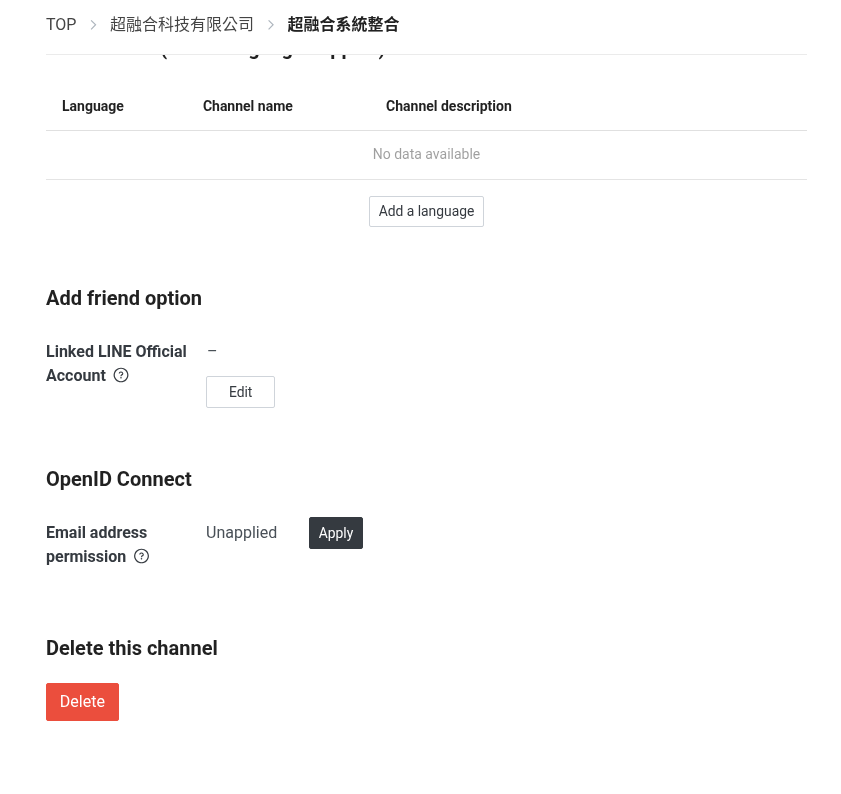
如下圖有兩個Key要複製, 貼到後台Login API對應的欄位
Channel ID = 2006942296
Channel secret = e3d9e20301242849dbf356e6314ec2ed
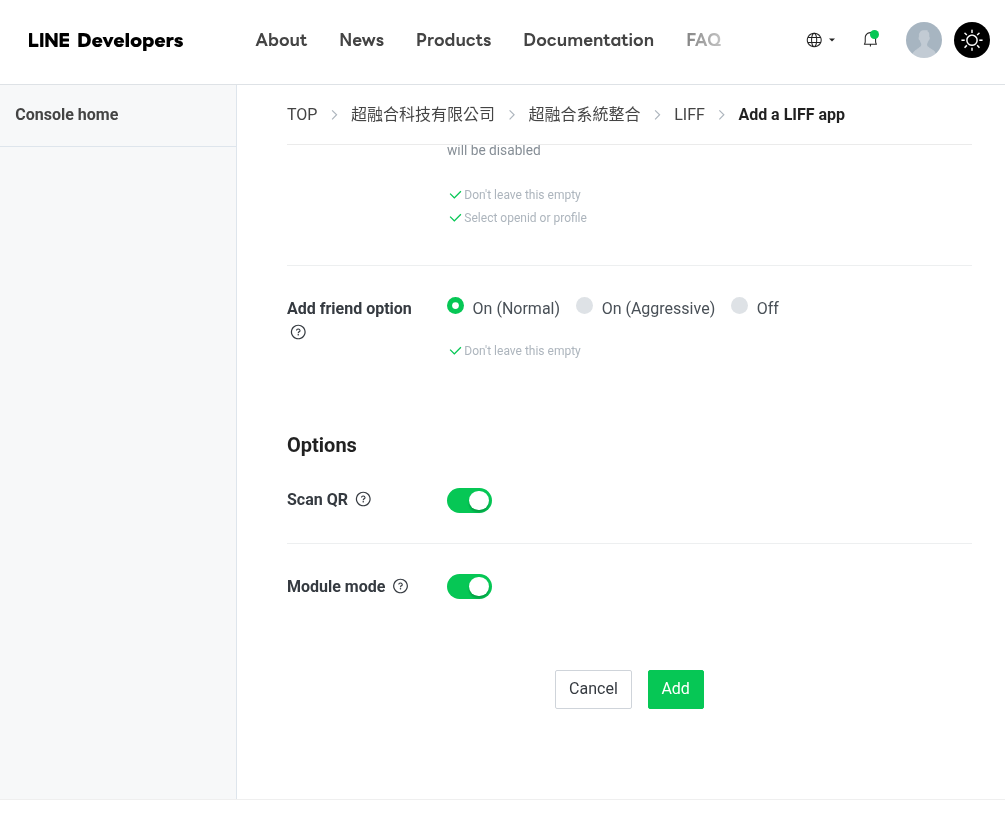
4. 建立第一個 Liff App
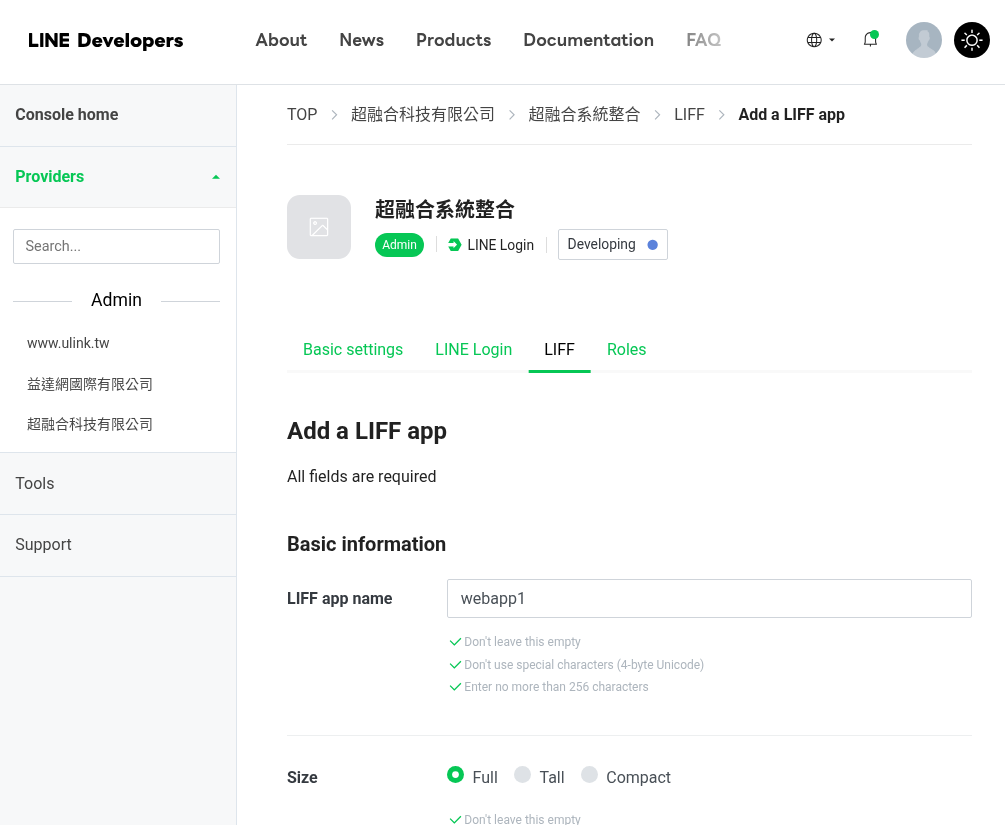
LIFF app name: webapp1
Size: Full (開啟網頁高度100%)
Endpoint URL: https://www.sopdom.com/oaadmin/api/webapp/1/
記得更換成你專屬的網址
Scopes全勾 ➔ profile、chat_message.write、openid

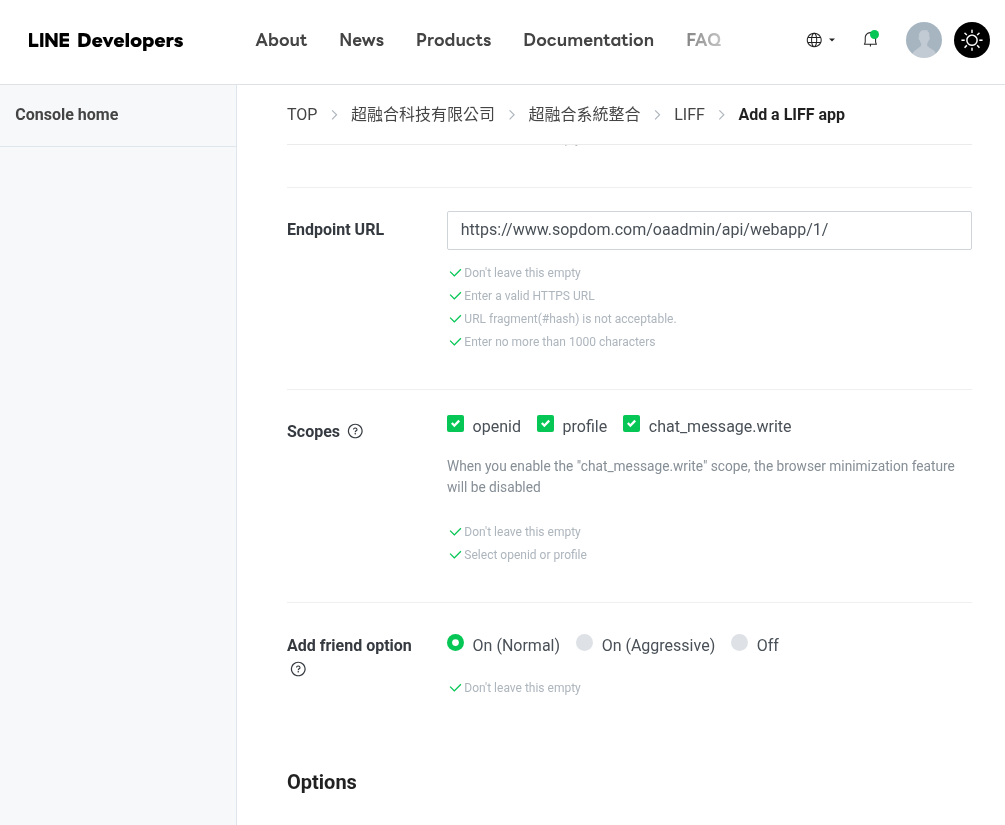
Add friend option ➔ On (Nomal)
Options全開 ➔ Scan QR、Module mode
5. 建立第二個 Liff App
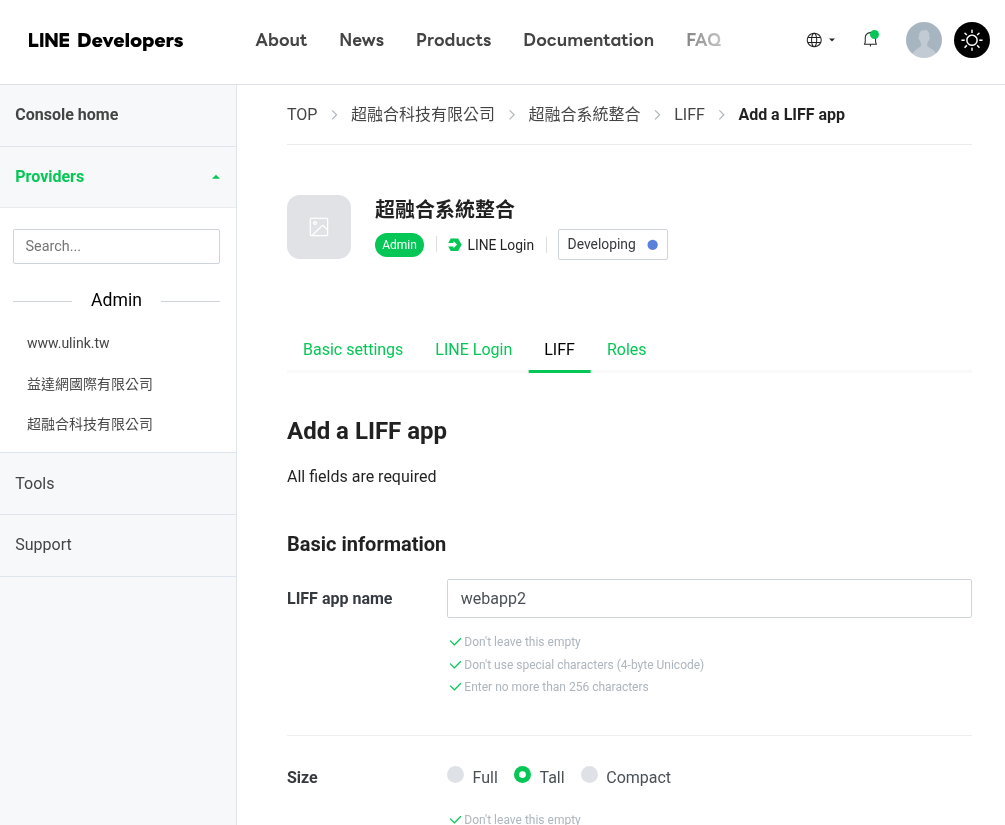
LIFF app name: webapp2
Size: Tall (開啟網頁高度80%)
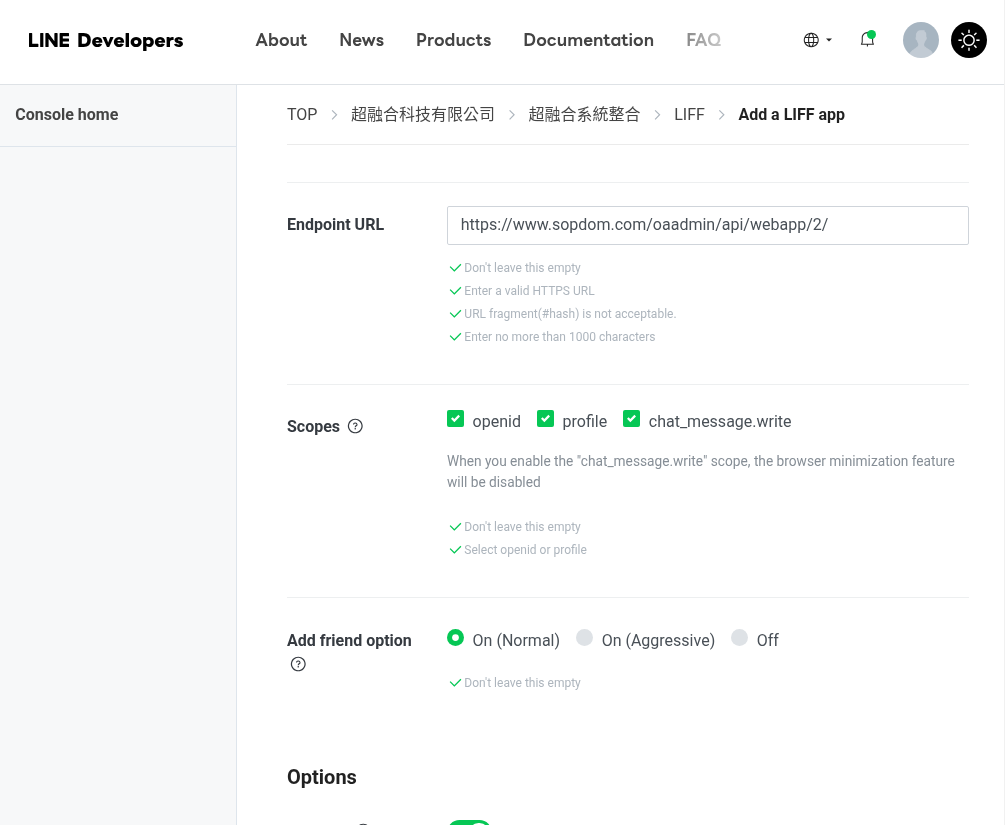
Endpoint URL: https://www.sopdom.com/oaadmin/api/webapp/2/
記得更換成你專屬的網址
Scopes全勾 ➔ profile、chat_message.write、openid
Add friend option ➔ On (Nomal)
Options全開 ➔ Scan QR
6. 建立第三個 Liff App
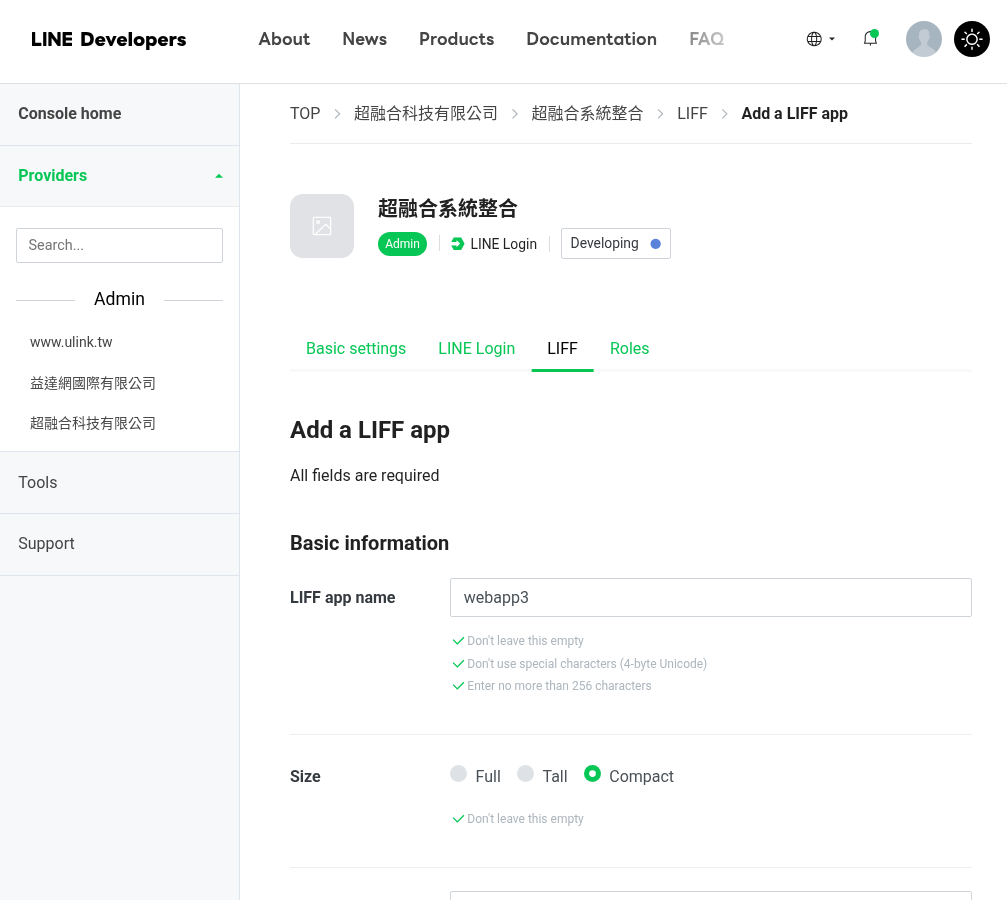
LIFF app name: webapp3
Size: Compact (開啟網頁高度50%)
Endpoint URL: https://www.sopdom.com/oaadmin/api/webapp/3/
記得更換成你專屬的網址
Scopes全勾 ➔ profile、chat_message.write、openid
Add friend option ➔ On (Nomal)
Options全開 ➔ Scan QR
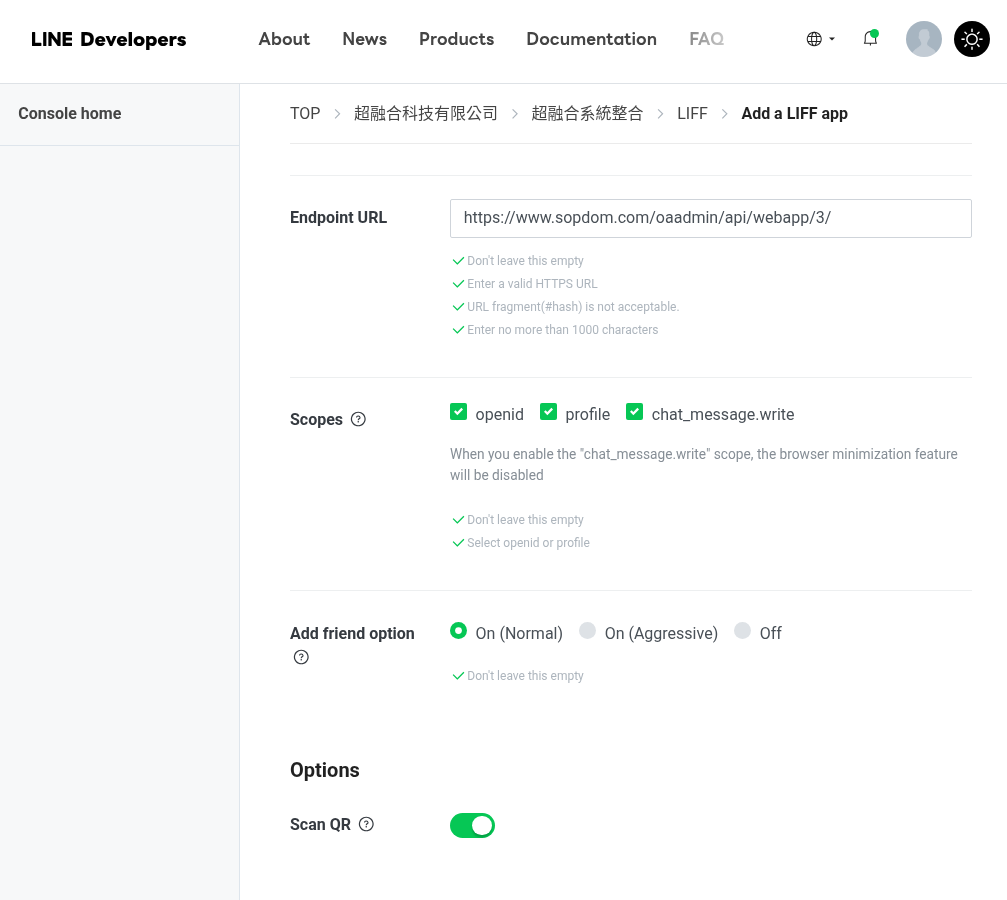
三個Liff都建立完成畫面如下, 請比對確認一下
如下圖有三個Key要複製, 貼到後台Login API對應的欄位
LIFF ID Full = 2006942296-exOW320J
LIFF ID Tall = 2006942296-dMBy7qGx
LIFF ID Compact = 2006942296-jJa15n3g
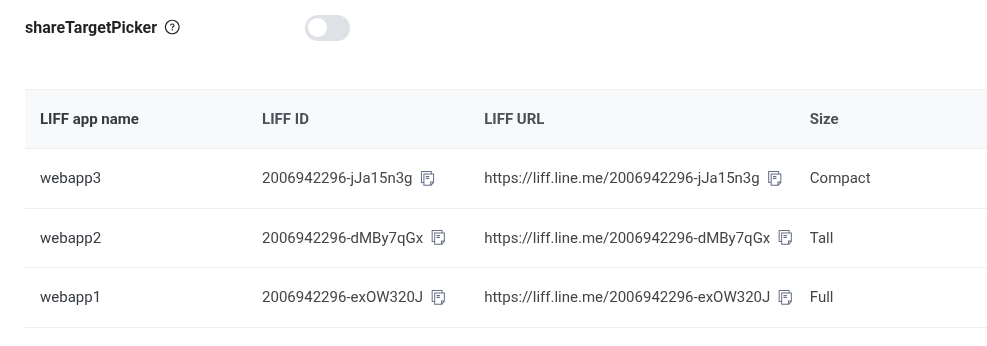
將 shareTargetPicker 啟用, 電子名片分享會用的, 請勿必要開啟
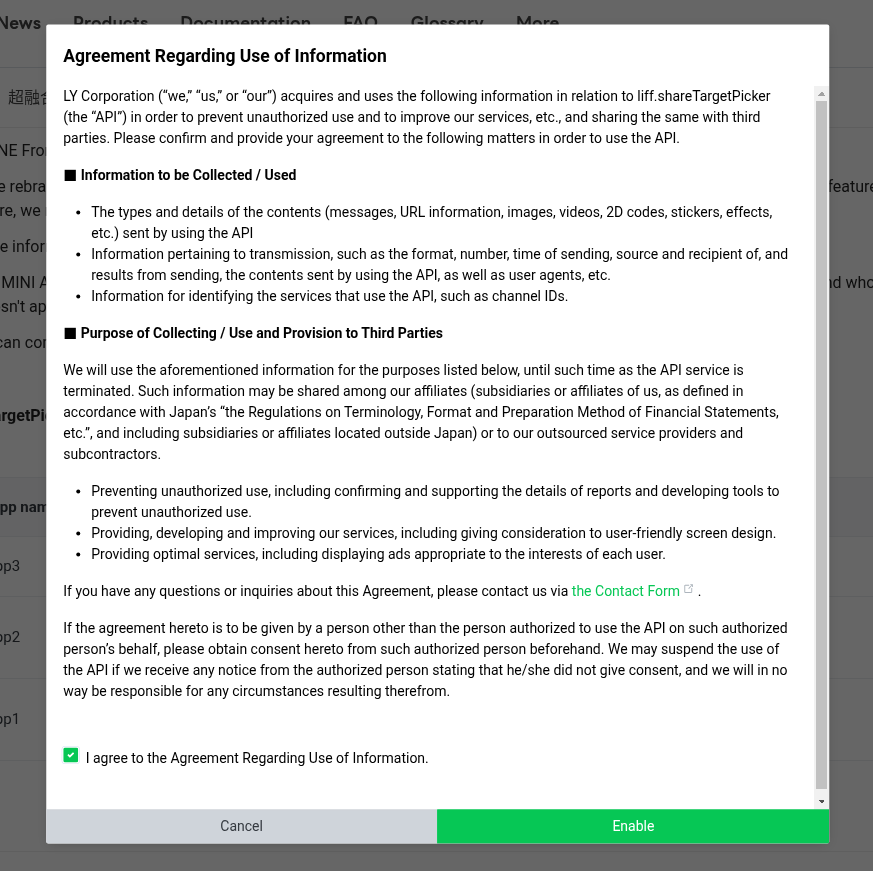
確認如下圖是否有開啟

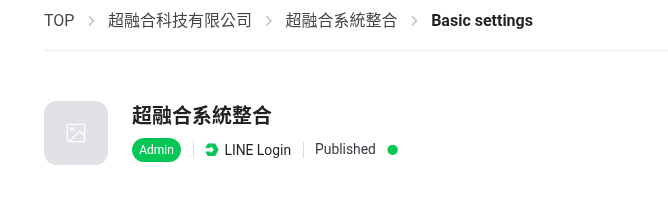
將Liff服務發佈公開使用 Developing -> Published
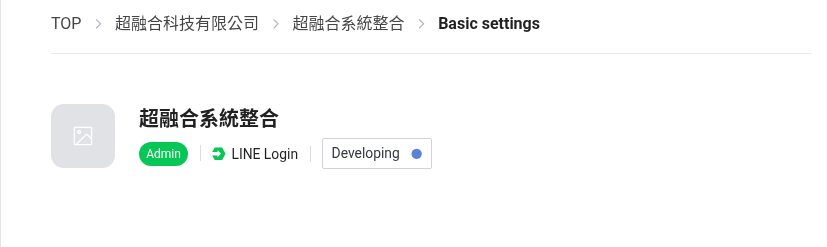
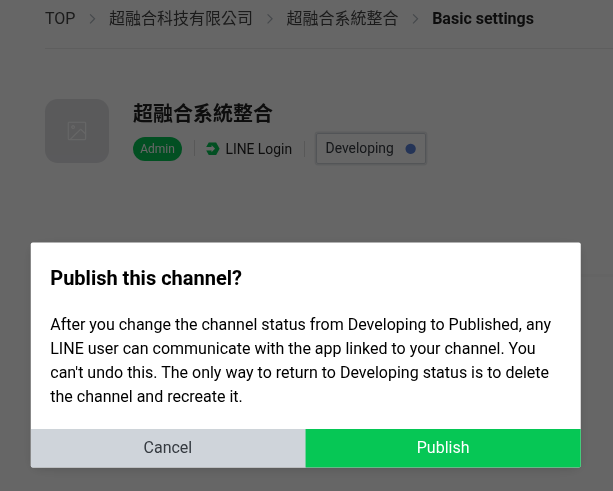
確認如下圖是否為 Published

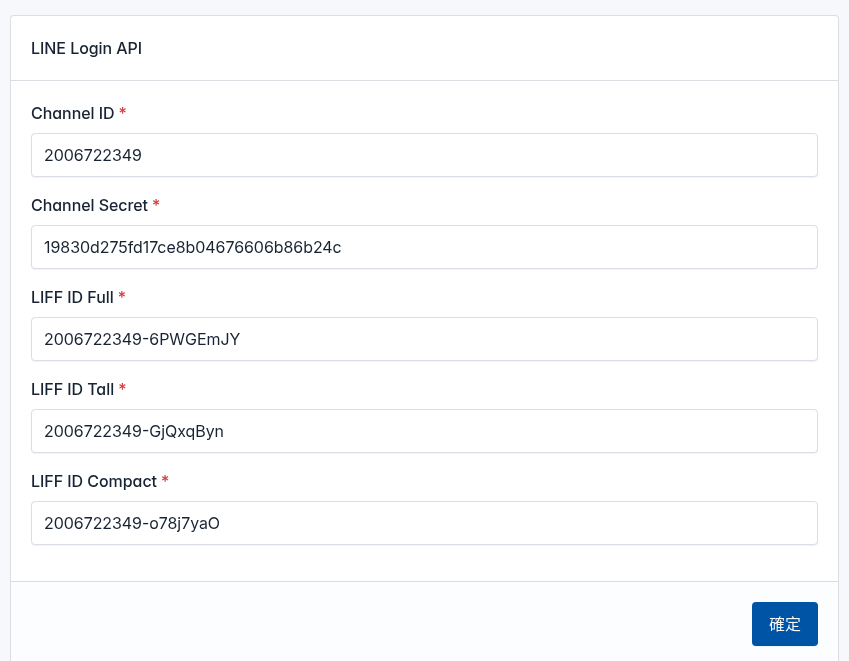
超融合後台LINE Login API串接, 設定完成的示意圖, (比對key長度, 欄位對應名稱)
設定重點, 就是找出那5個Key在哪裡